
Smart TVs from brands like Samsung, LG, Sony, and Philips are now standard in most homes. However, searching through their app stores for an IPTV player that can smoothly handle uncompressed 4K video at 60fps without performance issues can be a real challenge. This detailed 2026 guide presents our broadcast engineering team's benchmark results for the top 7 IPTV applications for Smart TVs in Europe.
Choosing the Right IPTV Player for Today's Smart TVs
Different Smart TV operating systems, including Samsung Tizen OS, LG webOS, and Google/Android TV, manage media streams in unique ways. When we tested player applications with high-volume subscriptions like those from IPTV Receiver, we focused on four essential technical aspects:
- Hardware Decoding Capabilities: Assesses the application's capacity to utilize the TV's integrated GPU for processing HEVC (H.265) and VP9 codecs, ensuring fluid playback during fast-paced sporting events.
- RAM Usage and Playlist Handling: Measures how effectively the app manages memory when processing extensive playlists, including over 35,000 live channels and 142,000 video-on-demand titles.
- EPG Display and Timezone Adjustment: Instant XMLTV updates with adjustable timezone settings for precise viewing of sports events.
- Catch-Up & Archive Navigation: A smooth user experience when navigating through 7-day replay options for television programs.
The Top 7 Ranked IPTV Apps for Smart TVs
1. HOT Player (Excellent for Samsung Tizen & LG webOS)
HOT Player has rapidly become the top choice for native applications on Samsung and LG televisions. It stands apart from older players by employing contemporary HTML5 video streams with integrated hardware acceleration, facilitating channel changes in less than 0.4 seconds.
- Advantages: Seamless 4K HDR content display, automatic subtitle fetching from OpenSubtitles, and swift playlist setup via MAC address.
- Ideal For: Users with Samsung and LG televisions who want an effortless experience using their remote control.
2. TiviMate IPTV Player (Premier Choice for Android TV & Sony)
When using Android TV or Google TV platforms (including brands like Sony, Philips, and TCL), TiviMate stands out. It offers a TV-optimized EPG, quad-view for simultaneous channels, and detailed audio track choices, making it a favorite among experienced users.
3. IPTV Smarters Pro (A Versatile Choice for Multiple Platforms)
IPTV Smarters Pro offers dedicated native applications for nearly all operating systems, presenting a user-friendly, polished, and dependable experience. It includes integrated parental controls, dynamic login via Xtream Codes API, and the convenience of switching between multiple user profiles.
4. IBO Player
IBO Player is a swift, resource-efficient media player that demonstrates outstanding performance on older LG and Samsung TVs. It launches in less than two seconds and manages extensive channel lists without any issues.
5. SmartOne IPTV
Experience a sleek, contemporary interface with SmartOne IPTV, offering multiple language choices. It seamlessly handles M3U and Xtream Codes formats, along with effortless switching between audio tracks.
6. SET IPTV
This is a well-established and dependable option for Samsung and LG television sets. Despite its more basic user interface, it offers rapid stream startup times with minimal delay.
7. Nanomid Player
Nanomid stands out by incorporating VPN functionality directly within its Smart TV app, a significant advantage for users without a VPN-configured router.
Comparison Guide: Smart TV IPTV Players
| App Name | Supported OS | 4K 60FPS Support | EPG Performance | Recommended Subscription |
|---|---|---|---|---|
| HOT Player | Samsung Tizen, LG webOS, Android | Excellent (Hardware HEVC) | Instant Sync | IPTV Receiver 12-Month Pass |
| TiviMate | Android TV, Google TV, Fire OS | Flawless (Native GPU) | Real-Time Grid | IPTV Receiver 12-Month Pass |
| IPTV Smarters Pro | All Platforms | Very Good | Structured Categories | IPTV Receiver Any Plan |
| IBO Player | Samsung, LG, Android, Apple | High Stability | Clean List | IPTV Receiver Any Plan |
Connecting Your IPTV Receiver to a Smart TV: A Simple Guide
- Find and download your preferred app, like HOT Player or IBO Player, through the Samsung Smart Hub or LG Content Store.
- Upon launching the application, you'll find your device's MAC Address and Device Key displayed on the initial screen.
- Reach out to our dedicated WhatsApp support team anytime at +212 720 335 979 with your MAC address.
- Within 2 minutes, our team will upload your 4K playlist straight to the application's server.
- Re-launch your Smart TV application now and instantly access over 35,000 live channels and more than 142,000 movies!
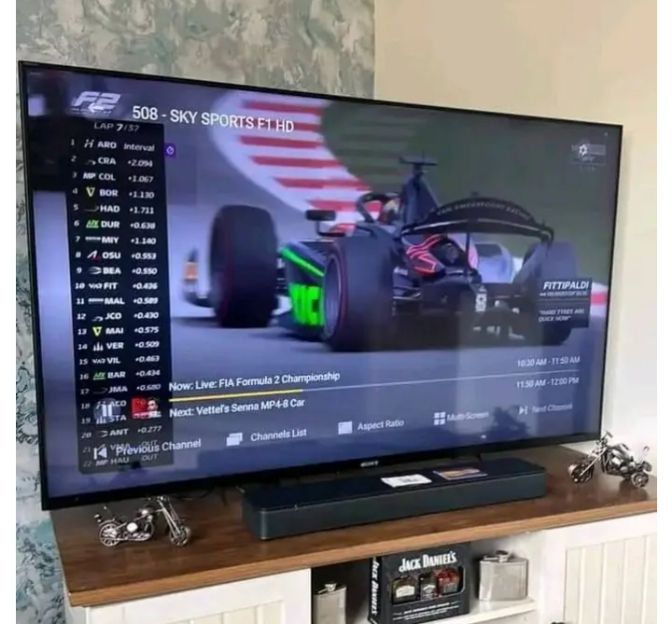
Enhance Your 4K Streaming Quality Today
Become one of the more than 15,000 happy users enjoying IPTV Receiver throughout Europe.
Gain Immediate Access Now →